Language
English
عربي
Tiếng Việt
русский
français
español
日本語
한글
Deutsch
हिन्दी
简体中文
繁體中文
Home
How To Use
Language
English
عربي
Tiếng Việt
русский
français
español
日本語
한글
Deutsch
हिन्दी
简体中文
繁體中文
Home
Detail
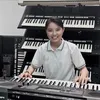
@nhacumiennam: Đàn Một Đoạn Trong Bài “ Song Ngoc “
NHẠC CỤ MIỀN NAM
Open In TikTok:
Region: VN
Tuesday 09 April 2024 16:25:09 GMT
529
11
2
1
Music
Download
No Watermark .mp4 (
0MB
)
No Watermark(HD) .mp4 (
0MB
)
Watermark .mp4 (
10.25MB
)
Music .mp3
Comments
Tiểu Tư Sản ✅ :
Tui hát dc. Để tui Duet 😂
2024-06-04 03:39:32
0

A-->X T.OFICIAL 💥.🏋️♂️.🦅. :
Xin chào, tôi cần mua bàn phím đó, bạn có thể giúp đỡ
2024-04-15 01:00:19
0
To see more videos from user @nhacumiennam, please go to the Tikwm homepage.
Other Videos
Móc khoá phong thủy ##mockhoaphongthuy #mockhoa #mockhoa12congiap #phongthuytamlinh #vong

If you’re looking for the optimal camera settings when capturing photos and video for TikTok, then this one is for you! *PS: these tips are geared towards iPhone users, but the same general tips still apply across all devices! 1: go into your settings, scroll down, and select “camera”. change your video format from “high efficiency” to “most compatible”. this will automatically turn off HDR and shoot all of your video in an .mov format which is the most accessible format across all social media platforms. capturing video in this format will increase file size, but it’s absolutely worth it for the end result. 2: make sure you’re shooting in 4k resolution at 30fps. while TikTok will still compress 4k to 1080p upon upload, you’re shooting at an optimal setting so it won’t compress it nearly as much. 3: the only time you’d really ever want to shoot at a higher fps (like 60 or 120) is if you plan on slowing it down in a 3rd party video editor to 30fps. TikTok only supports 30fps universally, so even if you try uploading other frame rates, they will just get compressed to 30fps anyway. 4: I always recommend using your phone’s native camera app. I’d never use a 3rd party app to shoot photos or video that I plan to use here. you’ll simply never get the same quality as if you have just done it directly in the native camera app. 5: don’t use portrait or cinematic modes unless you’re trying to achieve something specific with them. these features, while really cool, usually end up working against you when you’re not 100% certain how to use them correctly. if you have a question, or found this to be helpful in any way, please drop a comment below and I’ll try my best to get back to you! feel free to save this for later and/or share with a friend who might want to learn! #ethanbarberco #videotips #tipsandtricks #photographytricks #shotoniphone
Με μόλις 40 λεπτά βροχή έρχομαι σιντριβάνι εδώ στην Καλλιθέα διασταύρωση Σκρα με Ανδρομάχης#fu #fragiskos
Grwmmm #fyp #preparateconmigo
#WhatToWatch #HUMTV #SalahuddinAyyubi #UgurGunes #TurkishSeries
About
Robot
Legal
Privacy Policy